You know that feeling when you spot a word hiding in plain sight among a jumble of letters? That little rush of discovery. That quiet satisfaction of connecting letters into something meaningful.
Word Stars delivers that feeling again and again. It’s a beautifully simple word puzzle game that challenges you to find hidden words on a letter-filled board. Each level is a new puzzle, each solved word brings a small victory, and every completed stage expands your vocabulary.
Whether you’re a logophile (word lover) or just someone looking for a calm, brain‑teasing way to pass the time, Word Stars fits perfectly. And the best part? You can play it right here as an embedded game, with no download required. Just click, spell, and shine.
What Is Word Stars?
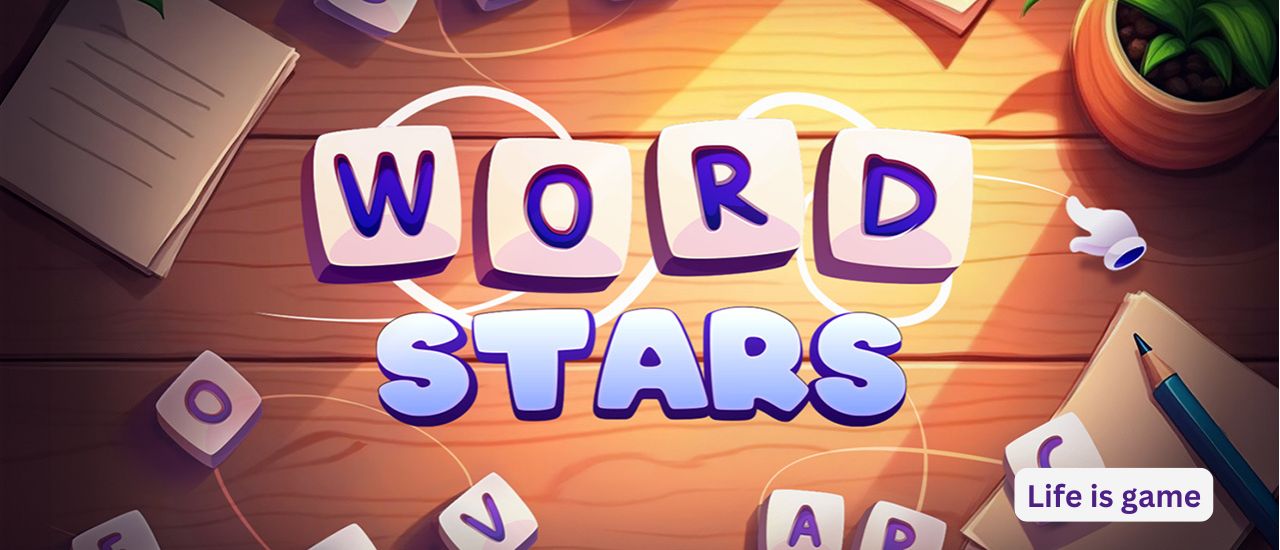
Word Stars is a casual word puzzle game published by Inlogic Software. Unlike frantic word games that count down seconds, this one invites you to relax. The goal is simple: create words from scattered letters to fill empty spaces above the board.
Each puzzle presents a grid of letters—some obvious, others hidden in plain sight. Your task is to identify all the words that fit the puzzle’s requirements. As you progress, the challenges become more complex, but the game never feels punishing.
The visual design adds to the appeal. Calming backgrounds and a clean, uncluttered interface let you focus entirely on the letters. There’s no flashing lights or noisy animations. Just you, the words, and a gentle sense of progress.
How to Play: Gameplay Mechanics and Controls
The mechanics are intuitive, making Word Stars accessible to anyone who can spell.
Core Gameplay Loop:
- Study the board – You’ll see a grid filled with letters. Above the grid, empty spaces indicate how many words you need to find and how many letters each word contains.
- Find a word – Look for sequences of letters that form real words. You can connect letters in any direction (horizontally, vertically, diagonally) – similar to a word search but with a twist: you’re not given a word list.
- Select the letters – Click or tap on the letters in order. The game will highlight your selection.
- Submit the word – Once you’ve selected what you believe is a correct word, submit it. If it’s valid, it fills one of the empty spaces above. If not, you can try again.
- Complete all words – Find every required word to finish the level.
- Use hints if needed – Stuck on a level? The game offers hints to help you keep progressing. Hints might reveal a letter or suggest a word.
- Advance to new puzzles – Each completed level unlocks the next, with increasing difficulty and longer words.
Controls:
- Mouse or touch: Click or tap on letters in sequence. On desktop, you can click and drag across letters. On mobile, simply tap each letter in order.
- Hint button: Available when you need assistance.
- Clear/Reset button: Lets you undo your current selection.
The game is designed for landscape orientation (800×600 resolution), which works well on both desktop monitors and tablets in landscape mode.
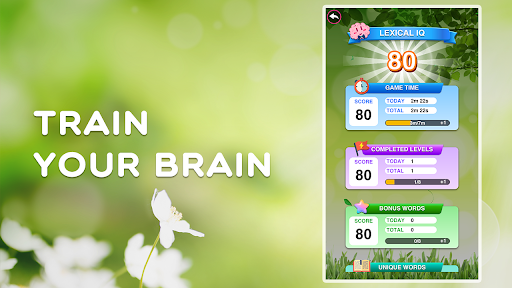
Key Features That Make Word Stars Fun and Unique
There are dozens of word games online, but Word Stars shines for several specific reasons.
1. No Timer, No Pressure
This is the defining feature. Unlike word games that punish slow thinking with countdown clocks, Word Stars lets you take all the time you need. Stare at the board for five minutes if you want. There’s no penalty. This makes it ideal for unwinding before bed or during a coffee break.
2. Genuine Vocabulary Building
Because you’re not given a word list, you have to rely on your own vocabulary. You might discover new words simply by experimenting with letter combinations. It’s a low‑pressure way to expand your language skills.
3. Increasing Difficulty Curve
Early levels feature short, common words (like “CAT,” “DOG,” “STAR”). Later levels introduce longer words, less common letters (like Q, Z, X), and more words per puzzle. The progression feels natural – you’re never suddenly overwhelmed.
4. Hint System That Doesn’t Feel Like Cheating
When you’re stuck, hints are available. Unlike some games that give away the entire answer, Word Stars offers gentle nudges. A hint might highlight the starting letter of a hidden word or reveal one letter. You still have to figure out the rest.
5. Calming Visuals
The backgrounds are relaxing – soft gradients, gentle colors, no chaotic effects. This might seem minor, but it makes a real difference during longer play sessions. Your eyes won’t get fatigued.
6. Pick‑Up‑and‑Play Accessibility
A single puzzle takes anywhere from 2 to 10 minutes, depending on difficulty. You can complete a level during a short break, then close the game without losing progress. Perfect for casual players.
Tips for Beginners: How to Master Word Stars
If you’re new to word puzzle games, these strategies will help you solve levels faster and with fewer hints.
- Scan for common prefixes and suffixes – Look for “RE-,” “UN-,” “-ING,” “-ED,” “-ER.” These letter combinations often form parts of longer words.
- Say the letters out loud – Sometimes your ear will recognize a word before your eyes do. Whisper the letter combinations to yourself.
- Start with the shortest words – The empty spaces above the board show how many letters each word has. Find the 3‑letter words first. They’re usually easier to spot.
- Look for vowels – Every word needs vowels. Scan the board for A, E, I, O, U, then see what consonants surround them.
- Use hints early, not late – If you’ve stared at the board for more than two minutes without finding any new word, use a hint. There’s no shame in it, and it keeps the game fun.
- Take a break and come back – This sounds silly, but stepping away for 30 seconds often “resets” your brain. Look away, then look again. The hidden word may suddenly pop out.
- Don’t guess randomly – Submitting random letter combinations won’t work. The game only accepts real, common words (no proper nouns, abbreviations, or slang unless widely accepted).
Who Is Word Stars For? Audience and Suitability
Word Stars has a very broad appeal, but it’s especially suited for:
- Casual players – The no‑timer, low‑stress design is perfect for short, relaxing sessions.
- Word game fans – If you enjoy Word Search, Wordscapes, or Boggle, you’ll feel right at home.
- Students and lifelong learners – A gentle way to build vocabulary and spelling skills.
- Seniors – The clear letter grids and calm pace make it an excellent brain‑training activity.
- Kids (ages 8+) : Safe, educational, and non‑violent. Some words may be challenging for younger children, but that’s part of the learning.
- Hardcore gamers? Not really. There’s no competitive leaderboard or speed runs. It’s designed for relaxation and mental stimulation, not adrenaline.
The game is 100% family‑friendly – no inappropriate content, no chat, no microtransactions required to enjoy the full experience.
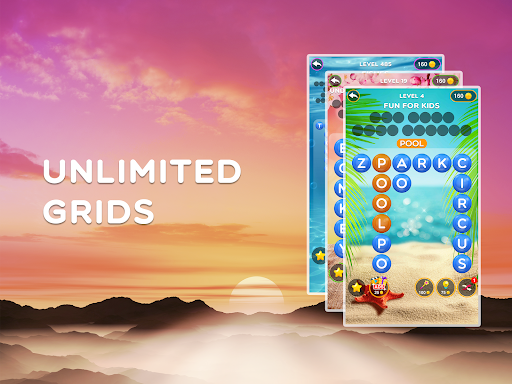
Why Play Word Stars Online as an Embedded Game?
You could find a word game anywhere, but playing Word Stars here offers unique advantages:
- No download required – Instant access, no storage space used, no permissions needed.
- Cross‑platform – Works on Windows, Mac, Chromebook, iPad, Android tablets, and phones.
- Progress saves locally – Your completed levels are saved in your browser. Come back anytime.
- No account needed – Just click and play. No email, no password, no spam.i
Whether you’re at a desk, lying on a couch with a tablet, or waiting for an appointment on your phone, Word Stars is always ready.
Frequently Asked Questions (FAQs)
1. Is Word Stars really free to play?
Yes. Word Stars is completely free. You can play all levels without spending any money. Some versions may offer optional hint packs or ad‑free experiences, but the embedded version allows full gameplay at no cost.
2. Do I need to download anything to play?
No download or installation is required. This is an embedded game that runs using HTML5 technology directly in your web browser. Just click and start playing.
3. Can I play Word Stars on my phone or tablet?
Absolutely. The game is fully compatible with iOS and Android mobile devices. It works best in landscape orientation, but touch controls are responsive and accurate.
4. How many levels does Word Stars have?
While the exact number can vary, Word Stars offers a substantial number of levels – typically over 100. The difficulty increases gradually, so you’ll have hours of gameplay before reaching the end. New levels may be added over time.
5. Is Word Stars good for improving my vocabulary?
Yes. By forcing you to find words without a provided list, the game encourages you to recall and recognize word patterns. Regular play can help reinforce spelling and introduce you to less common words. It’s a fun, low‑pressure educational tool.
Final Verdict: A Star Worth Following
Word Stars doesn’t try to reinvent the word puzzle genre. Instead, it polishes every aspect to near perfection. The calm pacing, clean visuals, intuitive controls, and genuinely satisfying “aha!” moments when you spot a hidden word make it a standout title among free browser games.
Whether you’re a word nerd looking for a new daily challenge, a casual gamer wanting something less frantic than action games, or a parent seeking an educational activity for your child, Word Stars delivers.
So go ahead – scan the board, connect the letters, and feel that little spark of discovery. Play Word Stars now – no download required.