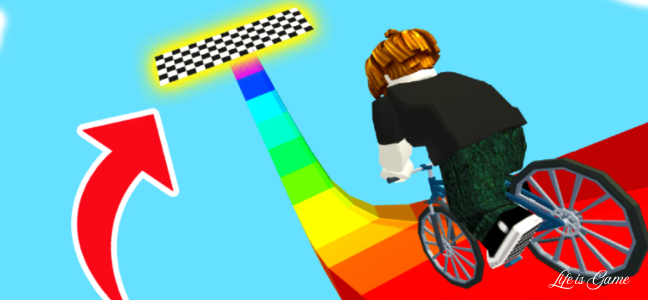
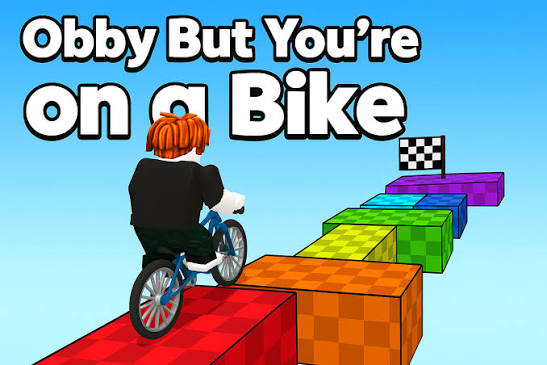
Ride through thrilling obstacle courses in Obby On a Bike. Play Normal or Challenge mode, race against time, and enjoy 2-player action in this fun parkour game.
Introduction: Pedaling Through Peril
Platformer games have long captured players’ hearts with their blend of skill, timing, and perseverance. But what happens when you add a bike to the mix? Obby On a Bike answers this question with an exciting twist on the classic obstacle course genre. Developed by CursoraLabs, this browser-based game combines thrilling bike-riding mechanics with fun parkour-style gameplay. With multiple modes and the option for competitive play, Obby On a Bike offers a refreshing take on the platformer experience that appeals to a wide range of players. This article explores everything the game has to offer.
What Is Obby On a Bike?
Obby On a Bike is a free browser-based game that blends obstacle course challenges with bike-riding mechanics. Published in April 2025, the game uses WebGL technology to deliver smooth, engaging gameplay directly through your web browser. The game is compatible with both iOS and Android devices, making it accessible to players wherever they are.
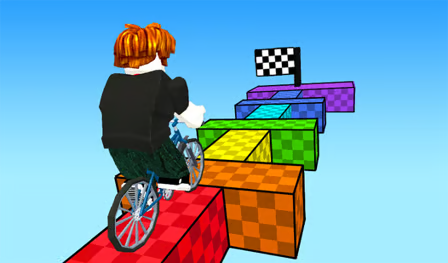
The concept is simple yet compelling: control a character on a bike through a series of obstacle courses, navigating platforms, jumps, and hazards. The game offers two distinct gameplay modes—Normal and Challenge—and features both single-player and two-player options. Whether you want a relaxed experience or a race against time, Obby On a Bike delivers.
Gameplay Modes
Normal Mode
Normal mode is designed for players who want to enjoy the game without pressure:
No Timer: Take your time to carefully ride through each level.
Exploration: Practice your skills and learn the obstacles.
Casual Fun: Enjoy the game at your own pace.
This mode is ideal for beginners or players who want a relaxing experience.
Challenge Mode
For players seeking excitement, Challenge mode offers:
Time Pressure: Race against the clock to complete each level.
Speed Focus: Test your reflexes and efficiency.
Skill Development: Improve your skills through timed attempts.
Challenge mode adds an element of urgency that makes the gameplay more intense.
Two-Player Mode
The game features local two-player mode for competitive fun:
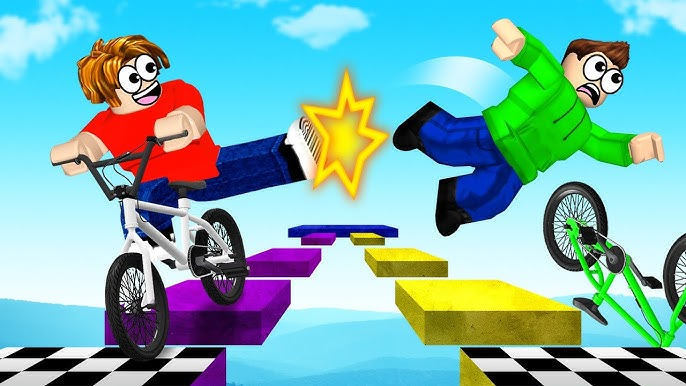
Head-to-Head: Compete directly against another player.
Same-Screen Action: Both players play on the same screen.
Social Fun: Great for playing with friends or family.
The two-player mode adds a social dimension to the game, making it more engaging.
Core Gameplay Mechanics
Bike Controls
The bike controls are designed to be intuitive yet responsive:
Movement: Use W, A, S, D or Arrow Keys to move.
Running: Hold L-SHIFT to run.
Jumping: Press SPACE to jump over obstacles.
Camera Control: Use mouse controls to adjust your view.
The controls allow for precise maneuvering, which is essential for navigating the obstacle courses.
Obstacle Courses
The game features a variety of obstacles:
Platforms: Jump between platforms of varying heights and distances.
Ramps: Use ramps to launch over gaps and obstacles.
Moving Elements: Some obstacles move, requiring precise timing.
Hazards: Avoid hazards that can end your run.
The variety of obstacles keeps the gameplay fresh and challenging.
Camera Controls
Camera control is crucial for navigating the 3D environment:
Mouse Control: Move the camera by clicking and dragging.
Zoom In/Out: Use the mouse scroll wheel to zoom.
Perspective: Adjust your view for better obstacle assessment.
Good camera control helps you plan your route through the course.
Controls Overview
Player 1 Controls
- Movement: W, A, S, D
- Running: L-SHIFT
- Jumping: SPACE
- Camera: Mouse + Right-Click
- Zoom: Mouse Scroll
Player 2 Controls
- Movement: Arrow Keys
- Running: K
- Jumping: L
Mobile Controls
- Joystick: On-screen controls for touch devices.
- Responsive: The game adapts to mobile screens.
- Intuitive: Controls designed for touch gameplay.
Strategies for Success
Master the Controls
Understanding the controls is the first step to success:
Practice Movement: Spend time getting comfortable with movement and jumping.
Use Running: Running helps clear larger gaps.
Camera Management: Good camera control helps you see obstacles ahead.
Learn the Courses
Each course has its own layout and challenges:
Memorize Obstacles: Learn where obstacles are located.
Find Optimal Routes: Some paths may be easier or faster than others.
Practice Runs: Use Normal mode to practice before trying Challenge mode.
Manage Your Speed
Speed management is crucial:
Normal Mode: Focus on accuracy over speed.
Challenge Mode: Balance speed with accuracy.
Avoid Rushing: Mistakes often happen when you rush.
Use the Environment
The environment can help you succeed:
Look for Patterns: Many obstacles have predictable patterns.
Use Ramps: Ramps can help you clear large gaps.
Plan Your Route: Think ahead about where you’re going.
Who Is Obby On a Bike For?
Platformer Fans
Players who enjoy platformer games will appreciate the obstacle course mechanics:
Skill-Based: Requires timing and precision.
Progression: Improve your skills over time.
Challenge: The Challenge mode provides additional difficulty.
Casual Gamers
The Normal mode is perfect for casual players:
No Pressure: No timer means you can play at your own pace.
Accessible: Easy to learn controls.
Relaxing: Enjoy the game without stress.
Competitive Players
The Challenge and Two-Player modes appeal to competitive players:
Time Trials: Race against the clock for high scores.
Head-to-Head: Compete directly against friends.
Achievement: Completing difficult courses provides satisfaction.
Younger Players
The game is suitable for younger audiences:
Appropriate Content: No violent or inappropriate themes.
Colorful Visuals: Engaging and fun art style.
Easy Controls: Simple controls that are easy to learn.
Comparison to Other Platformers
Bike Mechanic
The bike mechanic sets Obby On a Bike apart from traditional platformers:
Unique Movement: Riding a bike offers different movement dynamics than walking or running.
Speed Control: The run mechanic allows for speed management.
Visual Style: The bike adds a distinctive visual element.
Multiple Modes
The multiple game modes offer variety:
| Mode | Features | Best For |
|---|---|---|
| Normal | No timer, relaxed | Beginners, casual play |
| Challenge | Timed, competitive | Skill development, competition |
| Two-Player | Head-to-head | Social play, friendly competition |
Accessibility
The game’s browser-based nature makes it highly accessible:
No Downloads: Play instantly in your browser.
Cross-Platform: Works on desktop and mobile.
Free to Play: No cost to enjoy the game.
The Appeal of Obstacle Course Games
Skill Development
Obstacle course games help develop various skills:
Timing: Learning when to jump or move.
Spatial Awareness: Understanding distances and gaps.
Patience: Persevering through difficult sections.
Satisfaction
Completing difficult courses provides satisfaction:
Achievement: Overcoming challenges feels rewarding.
Progression: Improvement over time is satisfying.
Mastery: Mastering a difficult course provides pride.
Replayability
Obstacle course games have high replayability:
Improvement: Always room to improve times.
Exploration: Different routes may be discovered.
Competition: Trying to beat others adds replay value.
Technical Details
Development and Technology
- Platform: HTML5, WebGL
- Publisher: CursoraLabs
- Release Date: April 16, 2025
- Screen Orientation: Landscape
- Dimensions: 900×560
Compatibility
- Desktop: Works on modern browsers.
- Mobile: iOS and Android devices.
- Tablets: Compatible with tablet screens.
Connectivity
- Browser-Based: No downloads or installations.
- Internet Connection: Required for initial loading.
- Local Play: Works offline once loaded.
Frequently Asked Questions
1. Is Obby On a Bike free to play?
Yes, Obby On a Bike is completely free to play through your web browser. There are no downloads, installations, or purchases required to enjoy the full game experience .
2. Can I play Obby On a Bike on my mobile device?
Yes, the game is compatible with both iOS and Android devices through your mobile browser. The joystick controls are optimized for touchscreens .
3. What are the different game modes in Obby On a Bike?
The game features three modes: Normal mode (no timer, relaxed play), Challenge mode (timed, competitive play), and Two-Player mode (head-to-head competition with another player) .
4. How do the controls work in two-player mode?
In two-player mode, Player 1 uses W, A, S, D for movement, L-SHIFT for running, and SPACE for jumping. Player 2 uses Arrow Keys for movement, K for running, and L for jumping .
5. What is the goal of Obby On a Bike?
The goal is to navigate through obstacle courses on a bike, reaching the end of each level. In Challenge mode, you race against the clock to complete levels as quickly as possible .
Conclusion: A Thrilling Ride Worth Taking
Obby On a Bike delivers an exciting and accessible obstacle course experience that stands out in the browser gaming space. The combination of bike-riding mechanics with platformer-style challenges creates a unique gameplay experience that’s both fun and engaging. With multiple modes offering different levels of challenge, the game caters to casual players and competitive gamers alike.
The game’s accessibility across desktop and mobile platforms ensures that players can enjoy it wherever they are. The two-player mode adds a social, competitive element that makes it perfect for playing with friends and family.
For those seeking a platformer with a twist, Obby On a Bike offers a refreshing change of pace. The game’s colorful visuals, responsive controls, and varied obstacles create an experience that’s worth exploring. So why not give it a try? The obstacle courses await, and there’s always a new challenge to conquer.