Embark on an exciting adventure where your powers of observation are your main tool! This is a relaxing hidden object game created for those who appreciate slow-paced gameplay and enjoy exploring detailed worlds. Forget about time pressure! Here you can explore huge, colorful maps filled with hundreds of artfully hidden objects at your own pace.
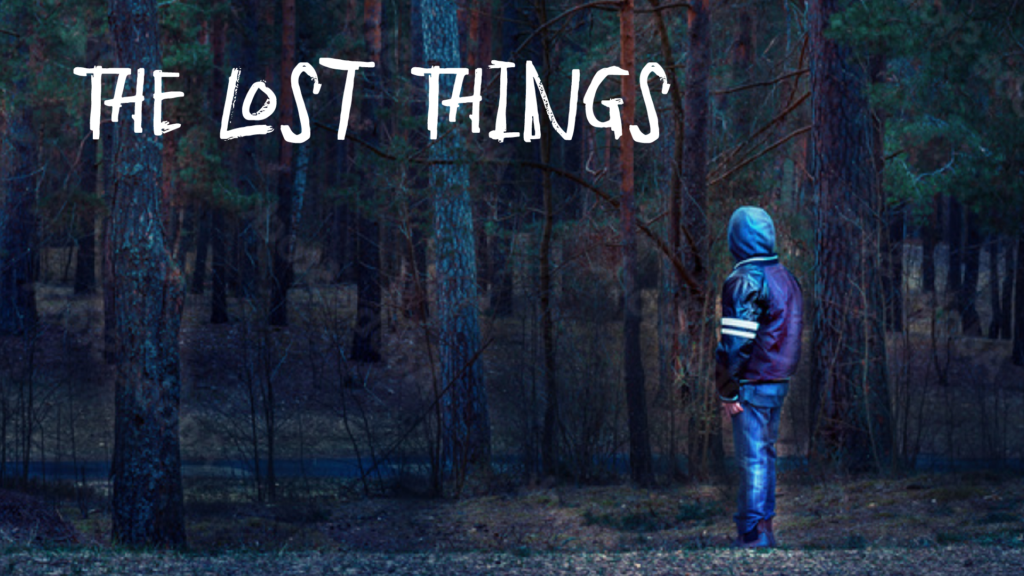
Welcome to Lost Things – Hidden Objects, a mesmerizing puzzle game developed by Illusions Games that transforms the simple act of finding hidden items into a peaceful, meditative journey. Unlike frantic hidden object games that punish you with countdown timers, this title invites you to slow down, breathe, and lose yourself in beautifully illustrated worlds where every corner holds a secret.
This comprehensive guide covers everything you need to know about Lost Things – Hidden Objects: its unique mechanics, the progressive map system, the thoughtful hint system, strategies for finding even the most elusive items, and why this game has become a sanctuary for players seeking calm in a chaotic world.
What Is Lost Things – Hidden Objects? An Overview
Lost Things – Hidden Objects is a relaxing seek-and-find puzzle game that prioritizes atmosphere and exploration over competition and stress. The premise is simple: you are presented with a large, colorful map filled with hundreds of objects. Some are obvious. Most are artfully hidden—tucked behind foliage, blended into patterns, camouflaged by color. Your task is to find them all.
But here is what makes this game special: there is no time limit. You can search for hours. You can walk away and come back tomorrow. The game never rushes you. It never penalizes you for taking too long. It simply waits, patiently, for you to discover its secrets.
The game features huge, colorful maps that are not fully visible at the start. New sections of the map open as you find a certain number of items, creating a sense of progression and discovery. You are not just finding objects—you are exploring a world that expands before your eyes.
Why Lost Things – Hidden Objects stands out:
- No time pressure – Play at your own pace, guilt-free
- Huge, detailed maps – Hundreds of items to discover
- Progressive map unlocking – New areas open as you find objects
- Generous hint system – Camera moves directly to hidden items when you need help
- Visual highlights – Found objects are marked with subtle effects
- Relaxing atmosphere – Designed for unwinding, not for stress
- Play anywhere – Browser-based with no download required
Core Gameplay Mechanics
The Basic Setup
Lost Things – Hidden Objects presents you with a single, large, beautifully illustrated map. The map is not a simple rectangle—it may have multiple “rooms” or sections, some visible at the start, others hidden.
The interface typically includes:
- The main viewing area – The map itself, zoomable and scrollable
- Item list – Text or icons showing which objects you need to find
- Progress counter – Number of items found vs. total
- Hint button – For when you are stuck
- Map percentage – How much of the map you have uncovered
The Goal
The goal is to find all the hidden objects listed on your item list. Objects range from common items (keys, coins, flowers, books) to more unusual finds (ancient artifacts, whimsical creatures, hidden symbols). The list may have 20, 50, or even 100 items depending on the map size.
Controls
| Platform | Control Method |
|---|---|
| Desktop (PC) | Left mouse button to collect objects |
| Mobile (Phone/Tablet) | Tap to collect objects |
That is it. The entire game is controlled with a single action: point and click (or tap). No complex key combinations. No menu navigation during gameplay.
Progressive Map Unlocking
This is the game’s most innovative feature. New sections of the map open when a certain number of items are found. For example:
- Find 10 items → a new area (a hidden room, an outdoor garden, a cave) becomes visible
- Find 25 items → another section opens
- Find 50 items → the final secret area is revealed
This mechanic accomplishes several things:
- It prevents overwhelm – You are not faced with an enormous map all at once
- It provides motivation – You are always working toward the next unlock
- It rewards exploration – Items found near the edge of visible areas often lead to new sections
- It creates a sense of discovery – Unlocking a new area feels like an achievement
The Hint System
Lost Things – Hidden Objects includes a generous, player-friendly hint system.
How hints work:
- You click the hint button (lightbulb icon, question mark, etc.)
- The game moves the camera directly to the location of a hidden object
- The object itself is highlighted with small effects (glow, sparkles, outline)
- You can then click/tap to collect it
Unlike many hidden object games that simply give you a text clue (“Look near the bookshelf”), Lost Things moves your viewport directly to the item. This is extremely helpful for players who are stuck or who have visual processing difficulties.
Hint limitations:
- Hints may have a cooldown (e.g., one hint per 30 seconds)
- Hints may be limited per map (e.g., 5 hints total)
- Some versions have unlimited hints with a short cooldown
Strategy: Use hints sparingly at first. Try to find items on your own—that is where the satisfaction comes from. Save hints for the last 10-20% of items, which are usually the most cunningly hidden.
Visual Feedback When Items Are Found
When you correctly click on a hidden object:
- The object may highlight briefly (glow, sparkle, or outline)
- A satisfying sound effect plays (soft chime, pop, or ding)
- The item is crossed off the list
- Your found counter increases
- The object may disappear or remain visible but marked as “collected”
Some versions also include a particle effect (little stars or sparkles) that erupts from the item upon collection, adding to the sense of reward.
Map Navigation
Because maps can be large (up to 1600×800 resolution per the embed dimensions), you need to navigate:
- Click and drag to pan around the map
- Scroll wheel to zoom in/out (on desktop)
- Pinch to zoom (on mobile)
Spend time at both zoom levels. Zoomed out, you see the overall composition and may spot color imbalances. Zoomed in, you see fine details and textures.
Types of Maps and Hidden Objects
Based on the game’s description and common hidden object themes, you can expect maps with rich, thematic detail.
Fantasy Forests
Enchanted woodlands with whimsical creatures, hidden fairies, ancient trees, and sparkling streams. Look for items like:
- Mushrooms (red with white spots, often partially hidden behind logs)
- Acorns (camouflaged among leaves)
- Butterflies (resting on branches, wings blending with bark)
- Hidden doors in tree trunks
Mysterious Mansions
Elegant but spooky interiors with dark wood, velvet curtains, and antique furniture. Items hide in:
- Bookshelves (books pulled slightly forward, quills in inkwells)
- Fireplaces (poker, bellows, hidden compartments)
- Windows (shadows that form shapes, reflections)
- Portraits (details within the painting itself)
Tropical Beaches
Sun-drenched shores with palm trees, seashells, and hidden treasures. Search for:
- Starfish (half-buried in sand, blending with coral)
- Messages in bottles (tucked behind rocks)
- Crabs (camouflaged against similarly colored sand)
- Buried treasure chests (only the corner visible)
Ancient Ruins
Crumbling stone temples, overgrown with vines, hiding relics of a lost civilization. Items include:
- Glyphs and symbols (carved into stone, partially moss-covered)
- Golden idols (hidden in shadows)
- Serpents (coiled around columns)
- Traps (pressure plates, dart holes in walls)
Cozy Villages
Quaint cottages, cobblestone streets, flower boxes, and village shops. Look for:
- Weather vanes (on rooftops, blending with sky)
- Hanging baskets (flowers that are actually hidden objects)
- Shop signs (swinging, partially obscured)
- Chimney smoke (forming shapes)
Whimsical Dreamscapes
Surreal, colorful worlds where logic is bent. Items may be:
- Floating in impossible locations
- Disguised as part of the scenery (a cloud that is actually a sheep)
- Repeated in subtle variations (which lamp is the “hidden” one?)
Each map is hand-illustrated with loving detail. The developers clearly want you to appreciate the art, not just rush through to the end
.
Strategies for Success
Beginner Strategies
1. Scan systematically, not randomly. Do not let your eyes bounce around the image. Scan in a grid pattern: top-left to top-right, then down a row, then left to right again. This ensures you cover every pixel.
2. Check edges and corners first. Hidden objects are often placed at the very edges of visible areas, partially cut off. Always check borders.
3. Use the item list as a guide. Read each item name and form a mental image. “Scissors” look different from “tweezers.” Knowing exactly what you are searching for speeds up recognition.
4. Zoom in. Details that are invisible at normal zoom become obvious when magnified. Use scroll wheel (desktop) or pinch (mobile) to zoom.
5. Look for color mismatches. A red object in a green scene stands out. A bright object in a dark scene stands out. Scan for colors that do not match the background palette.
6. Use hints when stuck. There is no penalty for using hints (beyond maybe a cooldown). If you have been searching for 2 minutes without finding anything, click the hint button.
Intermediate Strategies
1. Unlock new map sections strategically. New sections open after finding a certain number of items. If you are close to unlocking a new section (e.g., need 2 more items), focus on finding those two rather than exploring already-open areas.
2. Pay attention to “negative space.” Areas that are unusually empty or visually flat often hide objects. The artist has placed objects in every interesting spot—empty spaces are suspicious.
3. Look for patterns in hiding spots. The artist often repeats hiding techniques. If you found a key behind a picture frame, check behind other picture frames. If a coin was half-buried in sand, check other sandy areas.
4. Change your viewing distance. Lean back from the screen. The overall shape patterns become more apparent. Zoom out to see the whole composition.
5. Rotate your screen (if mobile). Looking at an image from a different angle (literally rotating your phone) can reveal hidden shapes.
6. Take breaks. If you are stuck on a map, step away for 5-10 minutes. Return with fresh eyes. You will often spot the item immediately.
Advanced Strategies
1. Learn the artist’s “signature.” Each hidden object artist has preferred hiding spots and techniques. After playing several maps, you will notice patterns. Use this knowledge.
2. Search for outlines, not objects. Instead of looking for “a key,” look for the shape of a key—the loop, the shaft, the teeth. The brain recognizes shapes faster than objects.
3. Use peripheral vision. Your peripheral vision (side vision) detects movement and shape differences better than your central vision. Look slightly away from where you are searching and see if anything “pops.”
4. Compare with previously completed maps. If you have played other maps by the same developer, you may notice recurring object types or hiding locations.
5. Play at higher screen brightness. Increase brightness and contrast on your device. Hidden objects become more visible against backgrounds.
6. For the final few items, use hints immediately. If you only need 3 more items and hints regenerate, just use hints. Do not spend 10 minutes searching for the last item when a hint reveals it in 2 seconds.
Ultra-Relaxed “Zen” Strategy
This game is designed to be relaxing. You do not need to optimize or speedrun.
The Zen approach:
- Pour a cup of tea or coffee
- Put on calming music (or enjoy the game’s ambient sounds)
- Zoom in and slowly pan across the map
- Appreciate the artwork
- Do not look at the item list; just explore
- When you spot an item, collect it
- If you never finish the map, that is fine
There is no wrong way to play Lost Things – Hidden Objects.
Frequently Asked Questions (FAQs)
1. Is Lost Things – Hidden Objects really free to play?
Yes, Lost Things – Hidden Objects is completely free. You can play the full game without spending any money. The embedded version may include occasional ads, but these appear between maps or game sessions, not during active searching.
2. Do I need to download anything to play?
No download or installation is required. Lost Things – Hidden Objects is an HTML5 browser game that runs directly in your web browser. Just click and play.
3. Can I play on my phone or tablet?
Yes. The game is fully compatible with iOS and Android mobile devices. On mobile, you control the game by tapping on hidden objects and dragging to pan. The default orientation is portrait (1600×800 resolution, which may require scrolling).
4. Is there a time limit?
No. The game explicitly states: “Forget about time pressure!” You can search for as long as you like. There are no timers, no move limits, and no penalties for taking breaks.
5. How do hints work?
Click the hint button (lightbulb, question mark, etc.). The camera will move directly to a hidden object, and the object will be highlighted with small visual effects (glow, sparkles). Then you can click/tap to collect it. Hints may have a short cooldown between uses.
6. How do I unlock new map sections?
New sections of the map automatically open when you find a certain number of items. The game will notify you (visual effect, message) when a new area is available. Look for darkened edges of the map becoming visible.
7. How many objects are in each map?
Maps contain “hundreds” of objects, according to the description. Early maps may have 50-100 items. Later, larger maps may have 200-300 items. The exact number varies.
8. What happens when I find all objects?
When you find every hidden object on a map, the map is marked as complete. You unlock the next map (if any). You may also receive a completion screen showing your time (even though there is no timer, the game still tracks it for your curiosity) and accuracy.
9. Can I replay completed maps?
Yes. Most versions allow you to replay any map you have finished. Items may be in different locations (randomized) or the same locations (fixed). Replaying is useful for relaxation or for achieving better completion times (if you care about such things).
10. Is there a story?
The game focuses on atmosphere rather than narrative. There may be a loose framing story (e.g., “You are an explorer searching for lost artifacts”), but the primary experience is the hidden object gameplay itself.
11. Does the game have sound?
Yes. Most versions include relaxing background music and satisfying sound effects for finding objects. The audio is optional and can be muted using your device’s volume controls or the browser’s tab mute feature. The game is fully playable without sound.
12. Can I zoom in on the map?
Yes. On desktop, use the mouse scroll wheel. On mobile, use pinch-to-zoom. Zooming is essential for finding small or well-camouflaged objects.
13. How do I pan around the map?
On desktop, click and drag. On mobile, drag with one finger. The map is larger than the viewport, so panning is necessary.
14. Why are some objects so hard to find?
That is the point of hidden object games! Objects are deliberately camouflaged to challenge your observation skills. If you are genuinely stuck, use the hint system. The developer wants you to succeed, not to rage-quit.
15. Is Lost Things – Hidden Objects suitable for children?
Yes, for children aged 6 and up. The game contains no violence, no scary imagery, and no inappropriate content. It encourages:
- Observation skills – Noticing details
- Patience – Searching methodically
- Vocabulary – Learning object names (if text-based item list)
- Visual discrimination – Distinguishing similar shapes
Younger children may need help reading the item list (if text-based), but many versions use icons.
16. Is it suitable for seniors?
Absolutely. The game is highly suitable for older adults:
- No time pressure (reduces anxiety)
- Large, clear visuals (zoom available)
- Simple controls (single click/tap)
- Cognitive exercise (visual search, memory)
- Relaxing pace (no adrenaline spikes)
Many senior communities recommend hidden object games for maintaining mental acuity.
17. How do I save my progress?
Your progress is saved automatically in your browser’s local storage. If you clear your browser cache, you may lose progress. Complete maps before closing the browser to ensure progress is saved.
18. Can I play offline?
No. Lost Things – Hidden Objects requires an internet connection to load the game initially. Once loaded, a stable connection is needed for ad serving (in the ad-supported version). If you lose connection during play, the game may freeze.
19. Why does the game have a hint cooldown?
The cooldown prevents players from simply spamming the hint button to complete the map without observation. The cooldown encourages you to try finding items yourself first. If you are truly stuck, wait for the cooldown and use another hint.
20. How do I know which areas of the map are still locked?
Locked areas are typically darkened, grayed out, or covered by fog/mist. When you unlock a new section, the darkness recedes, revealing the area. Pay attention to map edges—they often hide unlockable sections.
The Therapeutic Benefits of Hidden Object Games
Lost Things – Hidden Objects offers more than entertainment. Research suggests hidden object games provide genuine mental health benefits:
Stress Reduction
The slow pace, lack of time pressure, and repetitive nature of scanning can be meditative. Many players report reduced anxiety after playing.
Cognitive Maintenance
Visual search tasks exercise the brain’s processing speed, attention to detail, and working memory. For older adults, this may help maintain cognitive function.
Flow State
When you are deeply engaged in searching a detailed map, time seems to disappear. This “flow state” is associated with happiness and reduced self-consciousness.
Sense of Accomplishment
Each found object provides a small dopamine hit. Completing a map provides a larger sense of achievement. This is especially valuable for players who may lack other sources of accomplishment (retirees, people with disabilities, etc.).
Mindfulness
The game requires focused attention on the present moment—not the past, not the future. This is essentially mindfulness meditation disguised as a puzzle game.
Why Play Lost Things – Hidden Objects in Your Browser?
Instant Access
No download, no installation, no account creation. Click the link and start searching within seconds.
Cross-Platform
Works on Windows, Mac, Chromebook, iOS, and Android. The same link works everywhere.
No Storage Space
The game runs entirely in your browser. It does not take up space on your hard drive or mobile device.
Completely Free
The full game is free to play. No in-app purchases are required to access any maps or features.
Ad-Supported but Fair
The embedded version may show short ads, but these appear between maps, not during active gameplay.
Progress Saves Automatically
Your map completion progress is saved in your browser. Close the game, return a week later, and you will be exactly where you left off.
Conclusion: Find Peace Through Observation
Lost Things – Hidden Objects is a gentle reminder that video games do not need to be loud, fast, or competitive to be engaging. Sometimes, the most satisfying experience is sitting quietly, studying a beautiful image, and discovering its secrets one by one.
The game respects your time. It does not rush you. It does not punish you. It simply offers a world—colorful, detailed, full of hidden treasures—and invites you to explore at your own pace.
Whether you are a child developing observation skills, an adult unwinding after work, or a senior keeping your mind active, Lost Things – Hidden Objects welcomes you.