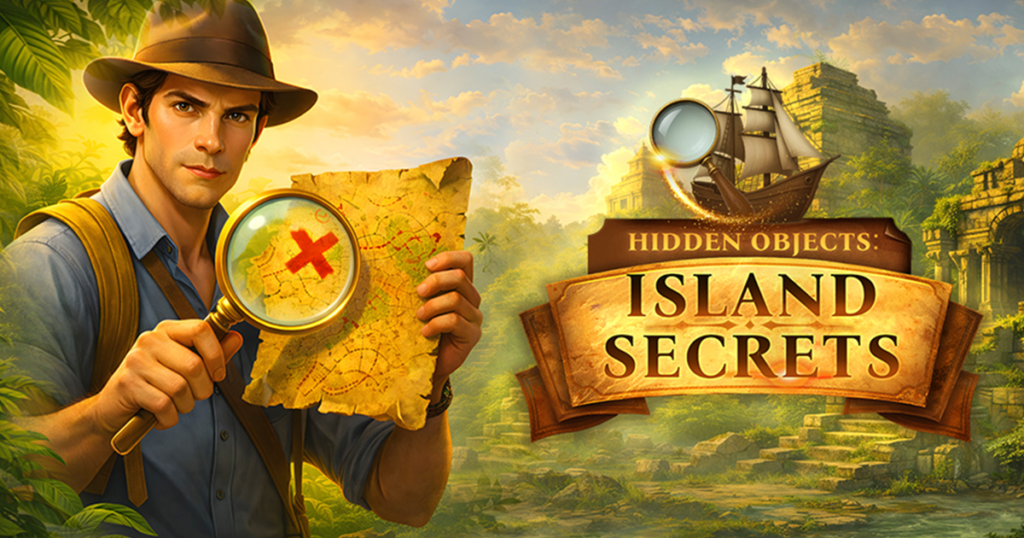
Discover the ultimate hidden objects game and embark on a journey through stunning locations, captivating puzzles, and mysterious adventures!
Welcome to Hidden Objects Island, a mesmerizing puzzle game developed by Mirra Games that transports you to a world of mystery, beauty, and discovery. If you have ever loved the simple joy of finding a well-hidden item in a busy scene—that small thrill of “Aha! There it is!”—this game delivers that feeling again and again, across dozens of stunning hand-crafted locations.
This comprehensive guide covers everything you need to know about Hidden Objects Island: gameplay mechanics, location variety, strategy tips, cognitive benefits, and why this game has become a favorite among puzzle enthusiasts and casual gamers alike.
What Is Hidden Objects Island? An Overview
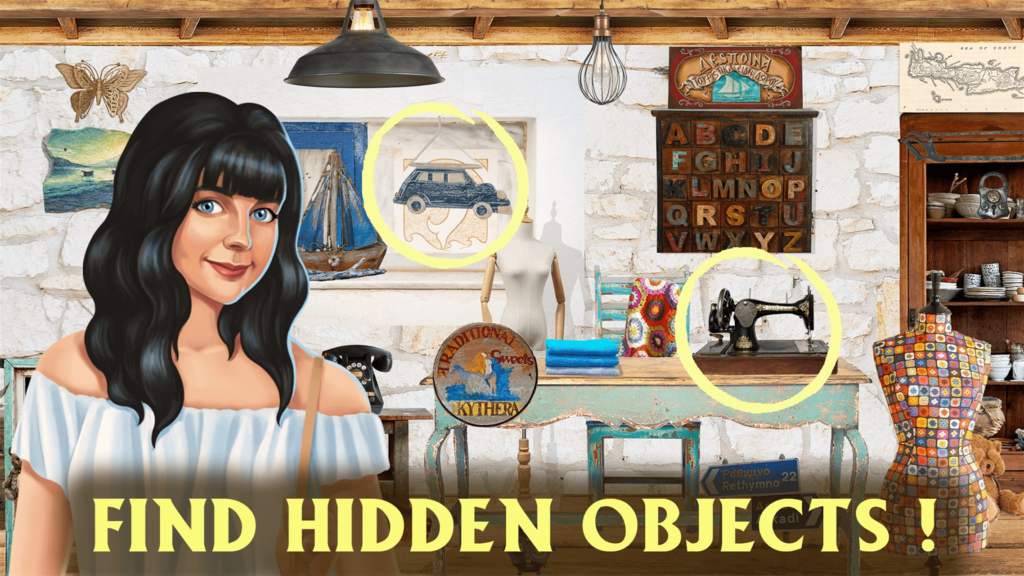
Hidden Objects Island is a seek-and-find puzzle game that challenges your observation skills and attention to detail. The premise is simple: each level presents a beautifully illustrated scene filled with dozens of objects. Your task is to find a specific list of hidden items within that scene.
But do not let the simplicity fool you. The objects are cleverly camouflaged—tucked behind other items, blended into patterns, or partially obscured by shadows. What seems obvious at first glance becomes a genuine challenge as you search every corner of the image.
The game takes you on a journey across an island (and possibly beyond), with each location offering a unique theme, new visual challenges, and a sense of progression. From sun-drenched beaches to mysterious jungles, from ancient ruins to cozy cottages, every scene tells a story.
Why Hidden Objects Island stands out:
- Stunning hand-illustrated locations – Each scene is a work of art
- Varied themes – No two locations feel the same
- Relaxing gameplay – No timers, no pressure, search at your own pace
- Satisfying feedback – Visual and audio cues reward each discovery
- Progressive difficulty – Early scenes are gentle; later scenes are genuinely tricky
- Play anywhere – Browser-based with no download required
Core Gameplay Mechanics
The Basic Setup
Each level in Hidden Objects Island presents:
- A full-screen illustration – A detailed scene (beach, forest, castle, village, etc.)
- A list of hidden objects – Usually 8-12 items per level
- Your cursor/finger – The tool you use to find and click/tap items
The Goal
The goal of the game is simple: find all the hidden objects in the location. You are given a list (text names or small icons). You must scan the scene, locate each item, and click or tap on it. When you correctly identify an item, it is crossed off the list, and you receive visual and audio feedback.
Controls
| Platform | Control Method |
|---|---|
| Desktop (PC) | Left-click on the hidden object |
| Mobile (Phone/Tablet) | Tap on the hidden object |
That is it. The entire game is controlled with a single action: point and click (or tap). This simplicity makes Hidden Objects Island accessible to players of all ages and experience levels.
Item List and Feedback
The item list is usually displayed on the side or bottom of the screen. As you find items, they are crossed out or removed from the list. Some games also display the item names as text; others use small icons.
Positive feedback when you find an item:
- A satisfying “ding” or “pop” sound
- The item may highlight briefly
- The item is crossed off the list
- A counter shows how many items remain
Negative feedback for incorrect clicks:
- A “thunk” or “buzz” sound
- No item is removed
- Some games may have a penalty (like a timer reduction), though Hidden Objects Island is generally forgiving
Hints and Assistance
Most hidden object games include a hint system for when you are stuck. Hints may:
- Highlight the general area of a remaining item
- Briefly outline a specific hidden object
- Reveal the item’s name more clearly
- Cost nothing or have a cooldown timer
Check your version for the hint button location.
Level Completion
When you have found all hidden objects in a level:
- A completion animation plays
- Your score (time, accuracy) is displayed (if tracked)
- The next level is unlocked
- You may earn stars or achievements based on performance
Progression
Levels are typically arranged in a linear or chapter-based progression. Early levels introduce you to the game’s mechanics and visual style. Later levels increase difficulty by:
- Adding more objects to find per level
- Hiding objects more cleverly (camouflage, partial visibility)
- Using more complex, cluttered scenes
- Reducing contrast between objects and backgrounds
Some versions also include bonus levels or challenge modes (timed, limited hints, etc.).
Types of Locations and Themes
Hidden Objects Island features a wide variety of beautifully illustrated scenes. Based on the game’s description, you can expect:
Tropical Beach
Sandy shores, palm trees, seashells, beach umbrellas, and hidden treasures half-buried in the sand. Look for items like starfish, sunglasses, flip-flops, and buried bottles.
Mysterious Jungle
Dense foliage, exotic flowers, hidden animals, and ancient ruins peeking through the vines. Search for snakes, parrots, jaguars, and forgotten artifacts.
Ancient Ruins
Crumbling stone temples, moss-covered statues, and relics of a lost civilization. Find items like broken pots, hieroglyphic tablets, and ceremonial masks.
Pirate Cove
Shipwrecks, treasure chests, skulls, and nautical equipment. Look for anchors, compasses, cutlasses, and pieces of eight.
Cozy Village
Quaint cottages, cobblestone streets, flower boxes, and village shops. Search for watering cans, birdhouses, lanterns, and hanging baskets.
Underwater Grotto
Coral reefs, sunken ships, and marine life. Find items like starfish, jellyfish, treasure chests, and ancient urns.
Haunted Mansion (if included)
Spooky rooms, cobwebs, flickering candles, and mysterious portraits. Look for ghosts, candelabras, hidden doors, and creepy dolls.
Seasonal Specials
Some versions include holiday-themed locations: Halloween haunted houses, Christmas villages, Easter gardens, etc.
Each location is not just a random collection of objects—it tells a visual story. The artist has placed each item deliberately, often integrating it into the scene’s narrative. Paying attention to the “story” of the image can actually help you find items (e.g., a fishing rod might be near the water, a hammer near a workbench).
Strategies for Success
Beginner Strategies
1. Scan systematically, not randomly. Do not let your eyes bounce around the image. Scan in a grid pattern: top-left to top-right, then down a row, then left to right again. This ensures you cover every pixel.
2. Look for edges and outlines. Hidden objects are often camouflaged, but their edges may still be visible. Look for shapes that do not quite fit the background pattern.
3. Use the item list as a guide. If the list says “scissors,” you are looking for something with two loops and two blades. Keep that mental image in mind. Do not look for “something metal”—look for scissors specifically.
4. Zoom in if the game allows. Many browser-based hidden object games allow zooming (Ctrl + mouse wheel on desktop, pinch on mobile). Zooming reveals details you might miss at normal scale.
5. Check “obvious” spots first. Items are often hidden in plain sight—on a shelf, under a table, hanging on a wall. Do not overcomplicate. Look in expected locations first.
6. Use hints when stuck. There is no shame in using a hint. If you have been searching for 2 minutes without finding anything, click the hint button. It may reveal an item you were never going to find.
Intermediate Strategies
1. Look for color mismatches. A red object in a green scene stands out. A bright object in a dark scene stands out. Scan for colors that do not match the background palette.
2. Look for texture mismatches. A smooth object among rough textures, a shiny object among matte surfaces—these stand out to the brain even if colors match.
3. Use peripheral vision. Sometimes your peripheral vision (side vision) detects movement or shape differences better than your central vision. Look slightly away from where you are searching and see if anything “pops.”
4. Change your distance. On a desktop, lean back from the screen. The overall shape patterns become more apparent. On mobile, hold the device farther away temporarily.
5. Rotate your screen (if mobile). Looking at an image from a different angle (literally rotating your phone) can reveal hidden shapes.
6. Mark items mentally as you find them. When you find an item, take a mental note of its location. You may need to return there later if another item is nearby.
Advanced Strategies
1. Learn the artist’s style. Hidden object game artists often have “signature hiding spots”—behind curtains, under rugs, inside foliage clusters. Once you learn the artist’s habits, you will find items faster.
2. Watch for “tilted” objects. Items that are placed at unusual angles (not aligned with the scene’s perspective) are often hidden objects. The artist rotated them to make them stand out to the player.
3. Compare with previous levels. If you have played many levels, you may notice that certain item types (keys, coins, rings) are often hidden in similar ways (inside drawers, under furniture, in treasure chests).
4. Use the hint system strategically. Do not use a hint as soon as you are stuck. Wait until you have searched thoroughly for at least 2-3 minutes. The hint will be more valuable then.
5. Play with high brightness/contrast. On your device settings, increase brightness and contrast. Hidden objects become more visible against backgrounds.
6. Take breaks. If you are stuck on a level, step away for 5 minutes. Return with fresh eyes. You will often spot the item immediately.
Speedrun Strategies (for timed versions)
1. Memorize item locations. The fastest way to clear a level is to know where every item is before you start. This comes from replaying levels.
2. Scan left-to-right, top-to-bottom. Create a consistent scanning pattern. Do not waste time scanning randomly.
3. Click without waiting for confirmation. As soon as your brain registers “that looks like a key,” click it. Do not hesitate.
4. Ignore visual polish. Do not admire the artwork. You are here to find items, not to appreciate the scenery. Save that for after you finish the level.
5. Use hints immediately (if no penalty). If hints regenerate quickly or cost nothing, use them as soon as you cannot find an item within 5 seconds.
Common Mistakes and How to Avoid Them
Mistake 1: Looking for the entire object at once
Instead of looking for “a complete key,” look for “the circular key handle” or “the key’s teeth.” Break the object into parts. Finding one part leads to the whole.
Mistake 2: Ignoring the edges of the screen
Hidden objects are often placed at the very edges of the image, partially cut off by the frame. Always check the borders.
Mistake 3: Assuming every object is in plain sight
Hidden objects are hidden. They may be behind other objects, inside containers (open drawers, cabinets), or partially obscured. Look for overlapping shapes.
Mistake 4: Clicking too fast
If you click too fast and miss, the game may register a penalty or simply waste time. Pause, confirm you are clicking the correct object, then click.
Mistake 5: Forgetting about rotation (mobile)
On mobile, you can rotate the device. The image does not rotate with it, but your viewing angle changes. This can reveal hidden objects.
Mistake 6: Giving up too early
The item is there. The game is designed to be solvable. If you cannot find it, use a hint. Do not quit.
Mistake 7: Not using audio cues
If the game includes sound, use it. The “ding” when you find an item is satisfying, but also some games have ambient audio that changes when your cursor is near a hidden object. Pay attention.
Who Is Hidden Objects Island For? Audience and Suitability
| Player Type | Why They Will Enjoy It |
|---|---|
| Casual gamers | Simple mechanics, relaxing pace, short play sessions |
| Puzzle lovers | Satisfying “aha!” moments, pattern recognition challenges |
| Visual artists | Appreciation for detailed illustrations |
| Kids (ages 6+) | No violence, educational (observation skills), colorful |
| Seniors | Gentle on reflexes, cognitive exercise, no time pressure |
| Mobile players | Perfect for touch, portrait orientation |
| Anyone needing a break | Meditative scanning, stress relief |
Is It Suitable for Children?
Yes, for children aged 6 and up. Hidden Objects Island contains no violence, no scary imagery (beyond perhaps “mildly spooky” haunted house themes), and no inappropriate content. The game encourages:
- Observation skills – Noticing details
- Patience – Searching methodically
- Vocabulary – Learning object names
- Visual discrimination – Distinguishing similar shapes
Younger children may need help reading the item list (if text-based), but many versions use icons.
Is It for Hardcore Gamers?
Not primarily. Hidden Objects Island is a casual puzzle game. Hardcore gamers seeking action, combat, or complex systems will be bored. However, completionists who want to achieve 100% (all levels, all stars, all achievements) will find dozens of hours of content.
Accessibility Features
- Simple controls (single click/tap)
- No time pressure (standard mode)
- Large touch targets (on mobile)
- Visual cues (items highlight when clicked)
- Hints available for stuck players
- Text size may be small on mobile; zoom if needed
- Colorblind players can rely on shape, not color, to find items
Why Play Hidden Objects Island in Your Browser?
Instant Access
No download, no installation, no account creation. Click the link and start searching within seconds.
Cross-Platform
Works on Windows, Mac, Chromebook, iOS, Android, and Linux. The same link works everywhere.
No Storage Space
The game runs entirely in your browser. It does not take up space on your hard drive or mobile device.
Completely Free
The full game is free to play. No in-app purchases are required to access any levels or features.
Ad-Supported but Fair
The embedded version may show short ads, but these appear between levels, not during active searching.
Progress Saves Automatically
Your level progress is saved in your browser. Close the game, return a week later, and you will be exactly where you left off.
The Cognitive Benefits of Hidden Object Games
Hidden Objects Island is not just entertainment—it offers genuine mental benefits:
1. Visual Search Enhancement
Regular play improves your ability to find specific targets among distractors. This skill is useful in real life (finding your keys on a cluttered table, spotting a friend in a crowd).
2. Attention to Detail
You learn to notice small differences, subtle color variations, and partial occlusions. This attention to detail carries over to work, school, and daily tasks.
3. Patience and Persistence
Hidden object games reward thoroughness. You learn that rushing leads to frustration; methodical scanning leads to success.
4. Memory Improvement
Remembering which areas you have already searched, which items you have found, and where certain object types tend to hide exercises your spatial and episodic memory.
5. Stress Reduction
The repetitive, predictable, low-stakes nature of hidden object games can be meditative. Many players report reduced anxiety after playing.
Frequently Asked Questions (FAQs)
1. Is Hidden Objects Island really free to play?
Yes, Hidden Objects Island is completely free. You can play the full game without spending any money. The embedded version may include occasional ads, but these appear between levels, not during active gameplay.
2. Do I need to download anything to play?
No download or installation is required. Hidden Objects Island is an HTML5 browser game that runs directly in your web browser. Just click and play.
3. Can I play on my phone or tablet?
Yes. The game is fully compatible with iOS and Android mobile devices. On mobile, you control the game by tapping on hidden objects. The default orientation is portrait (720×1280 resolution), which fits perfectly on phones.
4. How do I use hints?
Most versions include a hint button (often a lightbulb or question mark icon). Tap or click it, and the game will reveal the location of one hidden object. Hints may have a cooldown timer between uses or be unlimited.
5. Are there different difficulty levels?
Difficulty increases naturally through level progression. Early levels have fewer objects and simpler hiding spots. Later levels have more objects, more complex scenes, and more clever camouflage. Some versions also offer explicit difficulty settings (Easy, Normal, Hard).
6. How many levels are in Hidden Objects Island?
The exact number varies by version, but Hidden Objects Island typically offers over 50-100 levels across multiple chapters (beach, jungle, ruins, etc.). Some versions include bonus levels and seasonal content.
7. What happens when I find all objects in a level?
When you find all hidden objects, the level is marked as complete. You unlock the next level. You may also receive a score (time, accuracy, stars) and achievements.
8. Can I replay levels I have already completed?
Yes. Most versions allow you to replay any level you have finished. This is useful for improving your time, finding items you missed, or simply enjoying the artwork again.
9. Is there a time limit?
The standard version has no time limit. You can search at your own pace. Some versions may include optional “timed mode” for players who want an extra challenge. Check your version’s settings.
10. What if I click the wrong object?
If you click an item that is not on the list, the game typically plays a “wrong” sound and does not remove any items from the list. There is usually no penalty beyond wasted time.
11. Does the game have sound?
Yes. Most versions include sound effects for finding items (satisfying “ding”) and for incorrect clicks. Background music may also be present. Sound is optional and can be muted using your device’s volume controls or the browser’s tab mute feature.
12. Can I zoom in on the image?
Many browser versions allow zooming (Ctrl + mouse wheel on desktop, pinch on mobile). Zooming reveals details you might miss at normal scale. Check if your version supports zoom.
13. Is there a story?
The game’s description mentions “mysterious adventures,” suggesting there may be a narrative framework. You may be an explorer, detective, or treasure hunter searching for clues across the island. Story elements are typically minimal—the focus is on gameplay.
14. How do I save my progress?
Your progress is saved automatically in your browser’s local storage. If you clear your browser cache, you may lose progress. Some versions also support cloud save via account creation (optional).
15. Why are some objects so hard to find?
That is the point of hidden object games! Objects are deliberately camouflaged to challenge your observation skills. If you are genuinely stuck, use the hint system. The developer wants you to succeed, not to rage-quit.
16. Can I play offline?
No. Hidden Objects Island requires an internet connection to load the game initially. Once loaded, a stable connection is needed for ad serving (in the ad-supported version). If you lose connection during play, the game may freeze.
17. What are “stunning locations” mentioned in the description?
The game features a variety of beautifully illustrated scenes, including tropical beaches, mysterious jungles, ancient ruins, pirate coves, cozy villages, underwater grottos, and possibly haunted mansions. Each location is hand-crafted with attention to detail.
18. Is there a multiplayer mode?
No. Hidden Objects Island is a single-player experience. Some hidden object games include competitive leaderboards (comparing completion times), but the core gameplay is solo.
19. Why is the game called Hidden Objects Island?
The name reflects the setting: you are on an island (or archipelago) exploring various locations. The “hidden objects” part describes the gameplay. The title is descriptive and easy to remember.
20. Can I suggest new locations or objects to the developer?
The game is published by Mirra Games. Look for a feedback button in the game menu or leave a comment on the hosting platform. Developers often appreciate player suggestions for new content.
The Timeless Appeal of Hidden Object Games
Hidden object games have been popular for decades, from “I Spy” books for children to digital versions on every platform. Why does this genre endure?
Universal Accessibility
Anyone can play, regardless of age, language, or gaming experience. The mechanics are intuitive: see object, click object. No tutorials needed.
Low Stakes, High Reward
You cannot “lose” in most hidden object games. There is no failure state (other than running out of time in timed modes). Yet each discovery triggers a small dopamine release. You feel smart every time you find an item.
Cognitive Engagement Without Stress
Hidden object games require concentration and focus, but not the kind that raises your heart rate. They are engaging without being exhausting.
Aesthetic Pleasure
The artwork is often beautiful. Playing a hidden object game is like exploring a series of miniature paintings. You appreciate the art while playing.
Portability
Hidden object games work perfectly on mobile devices. A 5-minute session on the bus or a 30-minute session on the couch—the game adapts to you.
Conclusion: Your Island Adventure Begins
Hidden Objects Island invites you to slow down, look closely, and appreciate the details. In a world of fast-paced action games and endless notifications, there is something refreshing about a game that asks you to simply look.
The artwork is beautiful. The objects are cleverly hidden. The satisfaction of spotting a well-camouflaged item after minutes of searching is genuine. And the best part? There is no pressure. No timer (unless you choose one). No competition. Just you, the image, and the quiet joy of discovery.
So whether you are on a desktop with a mouse or on a phone with your finger, dive into Hidden Objects Island. Explore the beach. Get lost in the jungle. Decode the ruins. Find every last hidden object.